Custom Bags: 29-Store Directory (2026)
Compare 9 sourced personalization examples within a 29-store bag directory. Explore product inputs, physical examples and official sources.
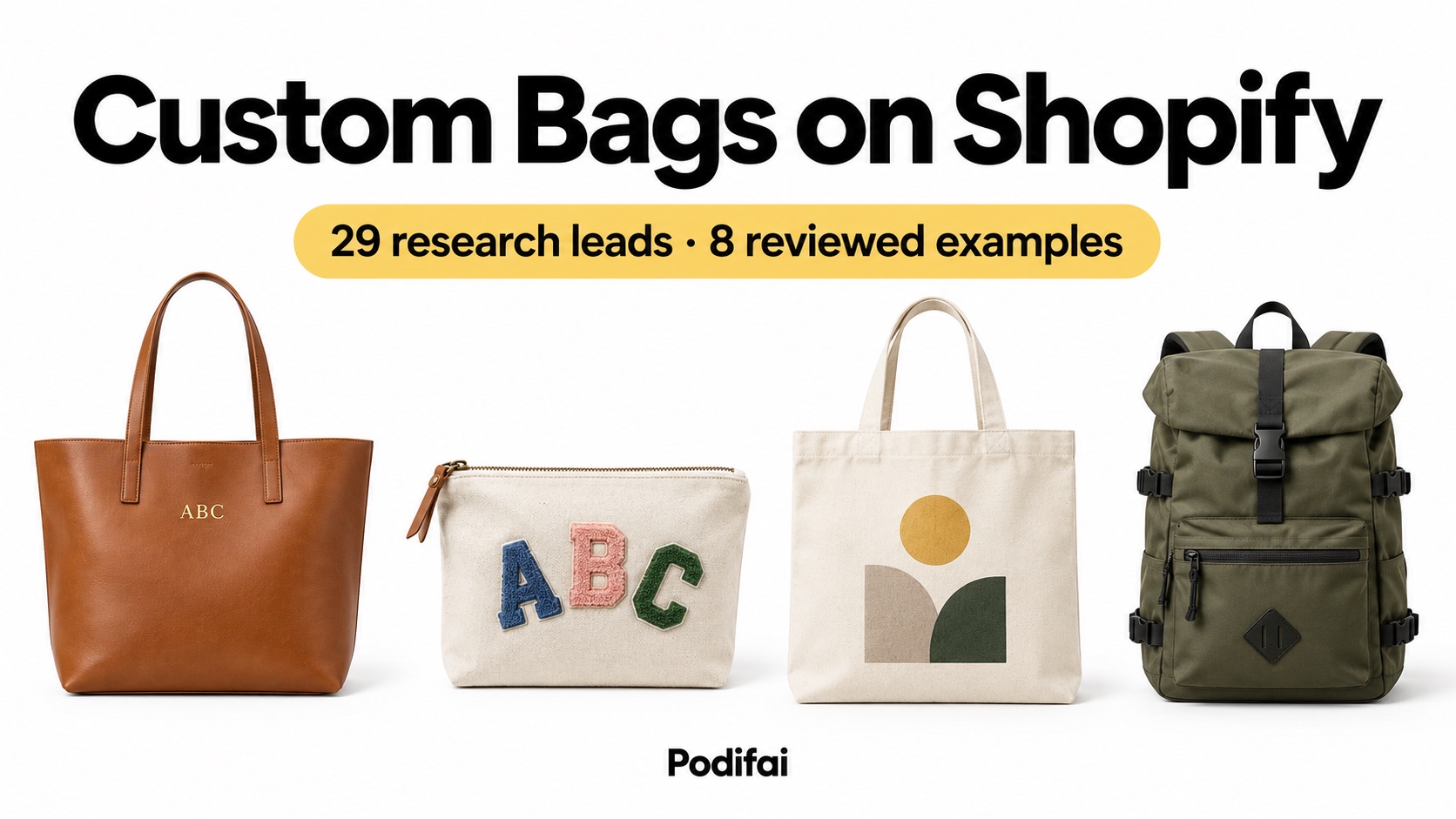
Illustrative bag designs. See each entry for merchant sources and archived storefront screenshots.
TL;DR: Keep the nine evidenced workflows separate: constrained initials, patch placement, supplied artwork, method-specific leather personalization, optional text, custom-product offers and consultation-led construction. The full directory retains 29 names, with 20 explicitly catalog references. Choose your input and production handoff first, then validate one product and test order.
Choose a bag-personalization workflow
The strongest starting points in this reviewed subset are Leatherology for distinct leather-personalization methods, Groovy Girl Gifts for initials, Stoney Clover Lane for patch placement, and Tote Bag Factory or Sip Hip Hooray for supplied artwork. Hundred Hearts, Julie Mollo and Alpine Luddites illustrate optional text, different custom-product offers and consultation-led construction. Choose the example that matches your input and production workflow; this article does not rank sales or search traffic.
Which examples have public customization evidence?
Nine entries have linked official product or workflow descriptions. Public evidence does not establish a completed checkout test, a Shopify app installation, production quality or a measured conversion result. The directory order preserves the original sequence and is not a performance ranking.
Review date: October 5, 2026. Store screenshots are retained from the original article and are historical visual references. Prices, availability, apps and themes can change; check the linked current product before making an implementation decision. Unverified revenue and traffic estimates have been removed. These are workflow references for Shopify merchants, not an independently verified inventory of each store’s platform, theme or installed apps.
| Directory entry | Store | Source type | Customization model |
|---|---|---|---|
| 1 | BAGGU | Store catalog reference | No personalization service established |
| 2 | Portland Leather Goods | Store catalog reference | No personalization service established |
| 3 | Dagne Dover | Store catalog reference | No personalization service established |
| 4 | Groovy Girl Gifts | Official product/workflow description | Shopper-entered initials |
| 5 | Cotopaxi | Store catalog reference | No personalization service established |
| 6 | The Jacket Maker | Store catalog reference | No personalization service established |
| 7 | Stoney Clover Lane | Official product/workflow description | Patch selection and placement |
| 8 | Tote Bag Factory | Official product/workflow description | Logo/artwork with printing service |
| 9 | Leatherology | Official product/workflow description | Deboss, paint and other named methods |
| 10 | NOMATIC | Store catalog reference | No personalization service established |
| 11 | ThreadArt | Store catalog reference | No personalization service established |
| 12 | Duluth Pack | Official product/workflow description | Embroidery ordered through customer service |
| 13 | Lo & Sons | Store catalog reference | No personalization service established |
| 14 | Shadow Breeze | Store catalog reference | No personalization service established |
| 15 | Sip Hip Hooray | Official product/workflow description | Monogram, logo or supplied artwork |
| 16 | KMM & Co. | Store catalog reference | No personalization service established |
| 17 | Hundred Hearts | Official product/workflow description | Optional text personalization |
| 18 | Kenz Kustomz | Store catalog reference | No personalization service established |
| 19 | Monogram Online | Store catalog reference | No personalization service established |
| 20 | Personalized Planet | Store catalog reference | No personalization service established |
| 21 | Camprageous | Store catalog reference | No personalization service established |
| 22 | Everly Grayce | Store catalog reference | No personalization service established |
| 23 | The Bella Rosa Collection | Store catalog reference | No personalization service established |
| 24 | Alexis Drake | Store catalog reference | No personalization service established |
| 25 | Pretty's Bowtique | Store catalog reference | No personalization service established |
| 26 | Julie Mollo | Official product/workflow description | Custom clutch and name-pouch offers |
| 27 | The Tote Project | Store catalog reference | No personalization service established |
| 28 | Notabag | Store catalog reference | No personalization service established |
| 29 | Alpine Luddites | Official product/workflow description | Consultation-led custom construction |
Bag-store examples 1–7
1. BAGGU
BAGGU is included as a catalog reference. Its current bag-personalization offer is not established by the linked source. BAGGU official site


2. Portland Leather Goods
Portland Leather Goods is included as a catalog reference. Its current bag-personalization offer is not established by the linked source. Portland Leather Goods official site


3. Dagne Dover
Dagne Dover is included as a catalog reference. Its current bag-personalization offer is not established by the linked source. Dagne Dover official site


4. Groovy Girl Gifts — initials on a leather tote
Public evidence: The Lifetime Personalized Leather Tote product page has a color selector and a personalization field. Its instructions ask for initials, with an example showing the intended format. The description identifies full-grain leather and tooled initials. This supports a text-personalization example; it does not establish a full-name input or a tested live preview. Groovy Girl Gifts leather tote
Merchant lesson: For a comparable monogram offer, specify the allowed characters and their order beside the field. Keep the stocked bag color separate from the shopper’s initials. If you offer a preview, use the same approved font and placement as production; a text box alone does not prove that the shopper sees the final design.
Implement the equivalent workflow on your own store: Configure a constrained text field


5. Cotopaxi
Cotopaxi is included as a catalog reference. Its current bag-personalization offer is not established by the linked source. Cotopaxi official site


6. The Jacket Maker
The Jacket Maker is included as a catalog reference. Its current bag-personalization offer is not established by the linked source. The Jacket Maker official site


7. Stoney Clover Lane — choose and position patches
Public evidence: The official customization guide describes choosing a bag or pouch, adding patches, and adjusting their placement. Shoppers can rearrange, rotate or remove patches before checkout. The guide also explains that the final sewn arrangement can differ slightly from the digital layout. This is a placement workflow rather than a monogram-only field. Stoney Clover Lane customization guide
Merchant lesson: Plan the available patch artwork, allowed placement area and operator instructions together. A stock-aware patch selector is a different requirement from showing a patch image. In Podifai, Image Swatch artwork is excluded from generated PNGs, so do not treat a charm or patch preview as an automatic production export.
Implement the equivalent workflow on your own store: Link stocked customization choices


Bag-store examples 8–15
8. Tote Bag Factory — bags plus a printing service
Public evidence: Tote Bag Factory describes a sequence in which buyers add bags, add a customization service, pay and send artwork or a digitized file. The listed services include screen printing, digital printing, embroidery and all-over printing. The instructions distinguish one-sided and two-sided work. This is evidence of a service-and-artwork handoff; it does not establish an instant visual builder. Tote Bag Factory printing instructions
Merchant lesson: For bulk tote orders, collect quantity, print side and method before calculating the service charge. Explain when artwork is supplied and approved. If your own store collects a logo during purchase, keep its file attached to the relevant order line rather than relying on an unlabelled email attachment.
Implement the equivalent workflow on your own store: Collect an order-linked artwork upload


9. Leatherology — distinct leather personalization methods
Public evidence: Leatherology describes debossing, hand painting, trapunto and Yours Truly personalization. Its debossing process uses heated dies and offers foil or a blind impression; Yours Truly accepts custom artwork. These are different production methods. Debossing should not be described as laser engraving or treated as interchangeable with embroidery. Leatherology personalization methods
Merchant lesson: Name the actual method first, then expose only its compatible text, artwork and finish choices. On your own Shopify product, use conditional fields for methods with different requirements and a method-specific surcharge when costs differ. Test each material and font with production before accepting orders.
Implement the equivalent workflow on your own store: Show method-specific customization fields


10. NOMATIC
NOMATIC is included as a catalog reference. Its current bag-personalization offer is not established by the linked source. NOMATIC official site


11. ThreadArt
ThreadArt is included as a catalog reference. Its current bag-personalization offer is not established by the linked source. ThreadArt official site


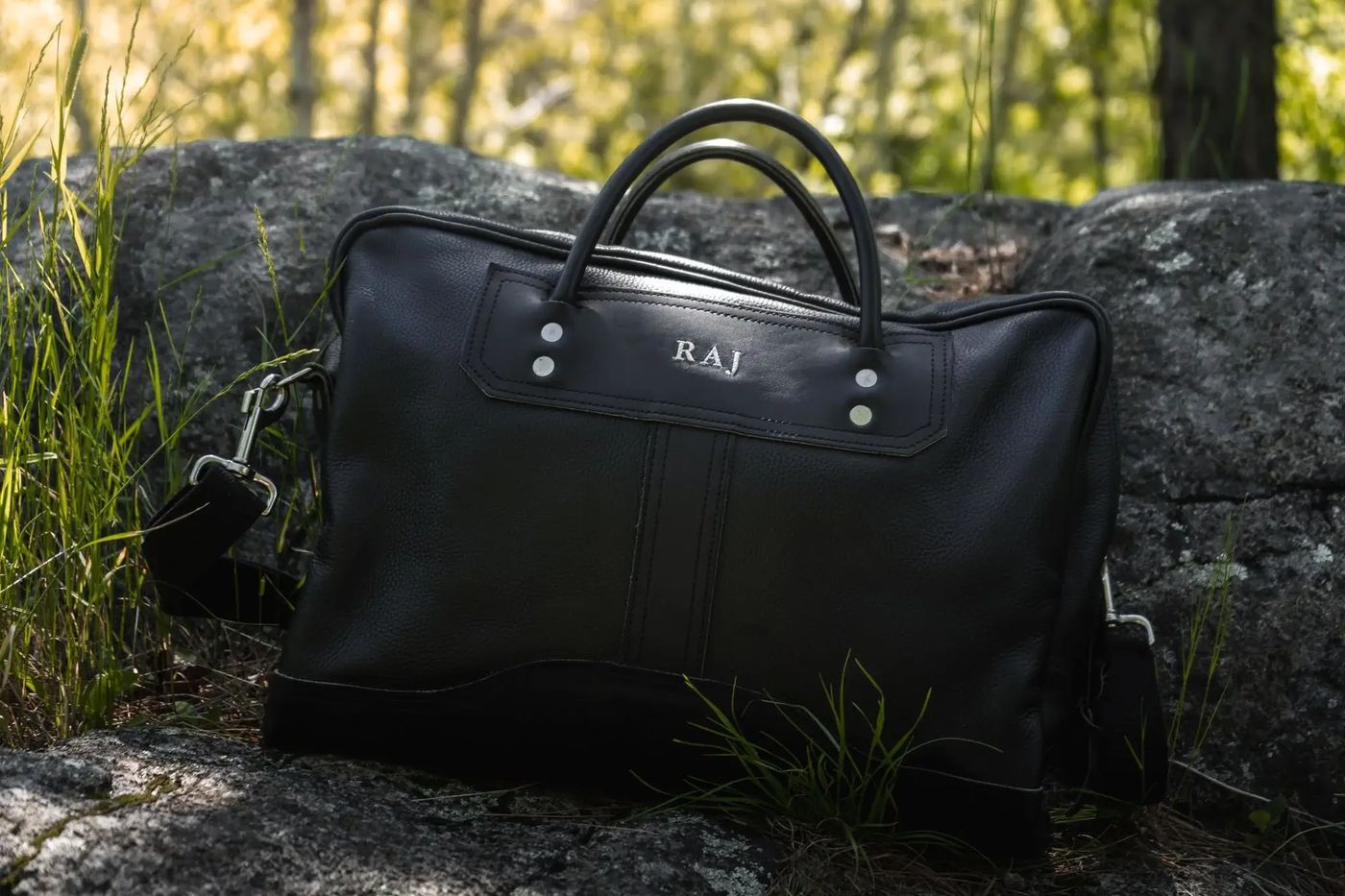
12. Duluth Pack — Embroidered bags
Duluth Pack offers embroidery on eligible bags, arranged through customer service when the bag is ordered. The service page lists three font choices and three thread colors; placement and lettering size are determined by the maker. Official source
This is a service-assisted personalization model. Embroidery is not offered as a retrofit for an existing bag, and availability depends on the item.
13. Lo & Sons
Lo & Sons is included as a catalog reference. Its current bag-personalization offer is not established by the linked source. Lo & Sons official site


14. Shadow Breeze
Shadow Breeze is included as a catalog reference. Its current bag-personalization offer is not established by the linked source. Shadow Breeze official site


15. Sip Hip Hooray — event totes with custom artwork
Public evidence: The Bachelorette Party Tote Bags product description offers a monogram, logo or custom art on a cotton-canvas tote. Its FAQ explains that customers can supply their own artwork by upload or email, and its shipping text refers to artwork approval for personalized items. The published instructions support an artwork-and-proof workflow, not a claim that every design receives an instant final preview. Sip Hip Hooray custom tote
Merchant lesson: Separate the event date from the production deadline. Collect the design and quantity clearly, then tell the buyer whether an approval step happens after purchase. For your own store, test that artwork references and the approved production instructions stay associated with the correct order.
Implement the equivalent workflow on your own store: Review customization data in orders


Bag-store examples 16–29
16. KMM & Co.
KMM & Co. is included as a catalog reference. Its current bag-personalization offer is not established by the linked source. KMM & Co. official site


17. Hundred Hearts — optional text on a canvas travel bag
Public evidence: The Travel Weekender Bag page describes a canvas duffle and exposes color choices plus No Text and Add Text personalization choices. The public snapshot shows those personalization variants as sold out. This is a catalog example of optional text; it is not evidence of a currently purchasable leather-debossing workflow or a completed checkout test. Hundred Hearts personalized duffle
Merchant lesson: Use an explicit personalization choice to reveal the text field only when needed. Configure a charge only if your own offer requires one; the example does not establish a universal personalization fee. Keep availability and the text instructions consistent when the underlying variant is unavailable. Implement the equivalent workflow on your own store: Configure and test personalization pricing


18. Kenz Kustomz
Kenz Kustomz is included as a catalog reference. Its current bag-personalization offer is not established by the linked source. Kenz Kustomz official site


19. Monogram Online
Monogram Online is included as a catalog reference. Its current bag-personalization offer is not established by the linked source. Monogram Online official site


20. Personalized Planet
Personalized Planet is included as a catalog reference. Its current bag-personalization offer is not established by the linked source. Personalized Planet official site


21. Camprageous
Camprageous is included as a catalog reference. Its current bag-personalization offer is not established by the linked source. Camprageous official site


22. Everly Grayce
Everly Grayce is included as a catalog reference. Its current bag-personalization offer is not established by the linked source. Everly Grayce official site


23. The Bella Rosa Collection
The Bella Rosa Collection is included as a catalog reference. Its current bag-personalization offer is not established by the linked source. The Bella Rosa Collection official site


24. Alexis Drake
Alexis Drake is included as a catalog reference. Its current bag-personalization offer is not established by the linked source. Alexis Drake official site


25. Pretty's Bowtique
Pretty's Bowtique is included as a catalog reference. Its current bag-personalization offer is not established by the linked source. Pretty's Bowtique official site


26. Julie Mollo — design-your-own clutches and name pouches
Public evidence: Julie Mollo’s custom collection includes design-your-own glitter-vinyl clutches, custom travel bags, name pouches and bridesmaid bags. It also offers a contact route for a custom idea. The collection establishes distinct custom-product offers, but does not by itself establish the field behavior, installed app or a tested live preview on each product. Julie Mollo custom collection
Merchant lesson: Give a name pouch and a more open-ended design request separate instructions. Standard choices can use a configured preview; an artwork idea that needs an artist’s interpretation needs an explained review step. Avoid promising that every possible request can be reproduced by a single text field. Implement the equivalent workflow on your own store: Configure supported preview layers

27. The Tote Project
The Tote Project is included as a catalog reference. Its current bag-personalization offer is not established by the linked source. The Tote Project official site


28. Notabag
Notabag is included as a catalog reference. Its current bag-personalization offer is not established by the linked source. Notabag official site

29. Alpine Luddites — one-to-one bespoke backpacks
Public evidence: Alpine Luddites describes made-to-order backpacks and bike bags, with the maker working directly with customers on custom projects. Its public site explains that orders enter a build queue. This is a consultation-led construction workflow, not evidence of an instant on-screen configurator or a fixed industry-wide production time. Alpine Luddites bespoke pack workflow
Merchant lesson: Separate repeatable options from specifications that need a maker’s review. A form can collect the initial request, but a bespoke construction decision still needs an agreed scope, price and lead time. Do not show a fixed visual result when the build has not yet been specified. Implement the equivalent workflow on your own store: Collect a clearly labelled custom request


What should merchants learn from these examples?
Look for a clear agreement between the requested input and the item that can be produced. Initials, patch positions, a supplied logo and a bespoke construction request each need different fields and production checks. The reviewed examples demonstrate those workflow categories; they do not establish that one method converts best.
A storefront can describe a custom service without providing an instant live preview. If you add a preview to your own offer, explain what it represents and whether an artwork approval step still follows purchase.
Which bag customization workflows are different?
Text personalization collects an open-ended name or initials. Artwork personalization collects a customer-supplied design. Patch placement collects selected components and their arrangement. Bespoke construction collects specifications for a maker to review. Stocked size and color choices identify the physical item and should remain distinct from these requests.
Leather debossing, painting, embroidery and printing are production methods, not interchangeable app features. Choose the actual method your shop can perform before setting font choices, placement, artwork requirements or a preview.
How should a merchant price bag personalization?
Calculate the blank bag, material, labor, artwork preparation, packaging and rework cost for your own offer. A fixed initials service and a bulk logo print order need different pricing. This directory does not provide a verified industry-wide price or margin benchmark.
Start with one paid option and test its total on the product page, cart and checkout. Add charges for extra sides or artwork handling only when your production costs require them.
Do these examples identify the Shopify theme or app?
No current theme or app inventory is established by this review. Historical screenshots and product descriptions do not reliably identify a theme, installed customizer or backend configuration. Confirm compatibility using the software vendor’s current documentation and your own theme.
Use the store examples to specify the interaction you need, then test your own desktop and mobile product page. Do not assume that copying a theme reproduces the customization workflow.
How can you implement a similar workflow in Podifai?
Keep the stocked bag’s size, color or material in Shopify variants. Use a required Text Input for initials, a Font Swatch linked to that text, and conditional fields when personalization is optional. Use an Image Upload when the customer supplies artwork; configure supported preview layers and placement for the actual product area. Text Input setup Font Swatch setup
This is a suggested implementation for your own store, not a claim that any listed merchant uses Podifai. For stocked patches or components, link the relevant choice to inventory. Image Swatch artwork is excluded from generated PNGs, so plan its production handoff separately. Inventory and variant linking For the post-purchase personalization workflow, Orderline brings Shopify order details, product photos and line-item customizations into one production view, with custom production stages and ship-by deadlines. For personalized bag orders, this can help your team keep customer instructions alongside the work queue. Place a test order to confirm that the details your team needs appear correctly.
How do you test one personalized bag before launch?
1. Configure one real bag. Use the approved font, tested text limit and actual personalization area. Start with one method rather than adding every customization type at once.
2. Exercise the allowed and rejected inputs on desktop and mobile. Check long initials or names, optional text, missing uploads, unavailable variants and any supported Front/Back preview views.
3. Inspect the product-page, cart and checkout total. Place a Shopify test order and check the exact text, font, placement, upload and surcharge recorded with the correct item. Pricing setup Managing Orders
4. If transparent PNG generation is enabled, verify the included text and customer-upload layers for every required view. Background images and Image Swatch artwork are excluded; no vector, embroidery-machine or laser-machine job is generated. Print-ready PNG documentation
Continue with the Leovia engraving and Theo Leathercraft monogram stories to see Podifai merchant workflows, then use the linked setup documentation to build your own product.
A storefront screenshot is not production validation. Have the production team confirm physical dimensions, font availability, artwork quality and the accepted finished result before launching that product.
Frequently Asked Questions
Is a color choice the same as bag personalization?
A stocked color choice usually identifies a variant. Shopper-entered initials, supplied artwork or a requested construction change are different inputs that need clearly labelled order information.
How much should bag personalization cost?
Price it from your material, labor, artwork preparation and rework costs. There is no verified universal bag-personalization price in this directory. Test every configured surcharge through checkout.
Does each store in this directory have a verified customizer?
No. Nine entries have linked official descriptions of a custom product or workflow. The remaining 20 are catalog references. Public descriptions do not identify the installed app or establish a completed checkout test.
How long does a personalized bag take to produce?
Production time depends on the method, capacity, artwork approval and build queue. Use the merchant’s current product instructions; this directory does not establish a shared turnaround time.
Can I use a bag preview as a production file?
Confirm the actual output your production team needs. Enabled Podifai generation provides transparent PNGs from included text and customer uploads per customized view; product backgrounds and Image Swatch artwork are excluded. Vector, embroidery-machine and laser-machine files need a separate production workflow.
Does traffic prove that a bag store’s customization works?
No. Search visibility alone does not establish how many custom orders a store receives or whether a personalization feature improves completed purchases. This update removes unverified traffic, revenue and performance rankings.
Should initials and bag color be separate fields?
Yes. Keep the stocked color or material with the product variant, and collect the shopper’s initials as personalization data. Confirm the selected item and the exact text remain associated in the order.
Do I need a custom Shopify theme for monograms?
A custom theme is not a prerequisite established by these examples. Test a compatible personalization tool with your existing theme and required product workflow, including mobile behavior and order output.
Should every custom bag have an instant preview?
A preview is useful when supported choices can be represented accurately. A supplied artwork job or bespoke construction request may need later human approval. Explain that distinction before purchase.
What should I check in a test order?
Check the stocked product, text, font, placement, uploaded artwork, paid options and any required generated PNG views. Confirm that production can use the recorded information without guessing.