Visual multi-select
Present charms as recognizable image choices and let shoppers build a collection in one flow.
Charm builder for Shopify
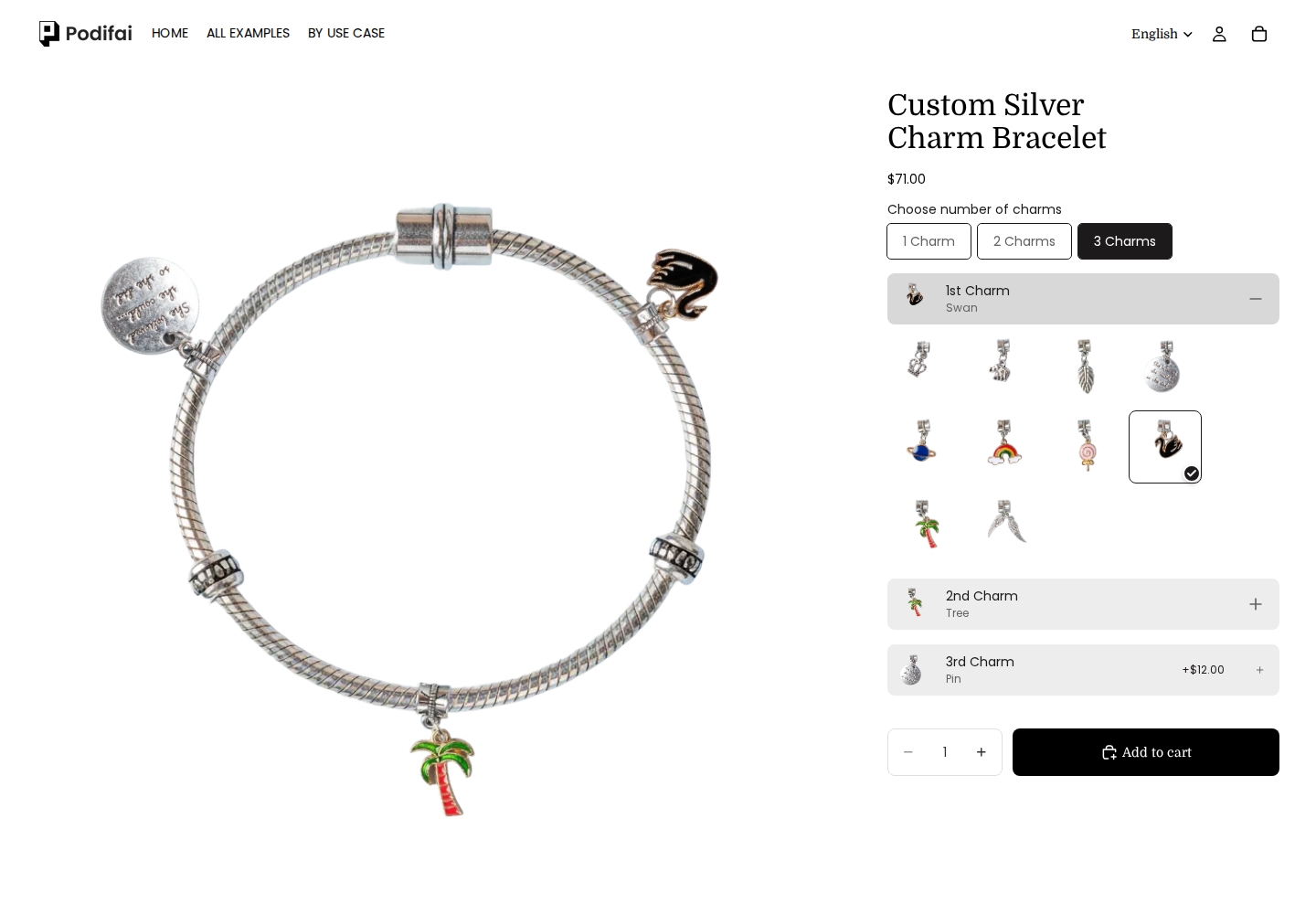
Let shoppers select multiple charms, arrange their choices, see a layered preview, and understand the price and availability of every component.

Direct answer
Core capabilities
A useful charm builder must make selection enjoyable without losing pricing, stock, or order clarity.
Present charms as recognizable image choices and let shoppers build a collection in one flow.
Keep the shopper's chosen sequence readable for preview and fulfillment when arrangement matters.
Place prepared charm artwork on the product so supported combinations update before checkout.
Apply a price add-on and optionally link each physical component to Shopify variant inventory.
Product evidence
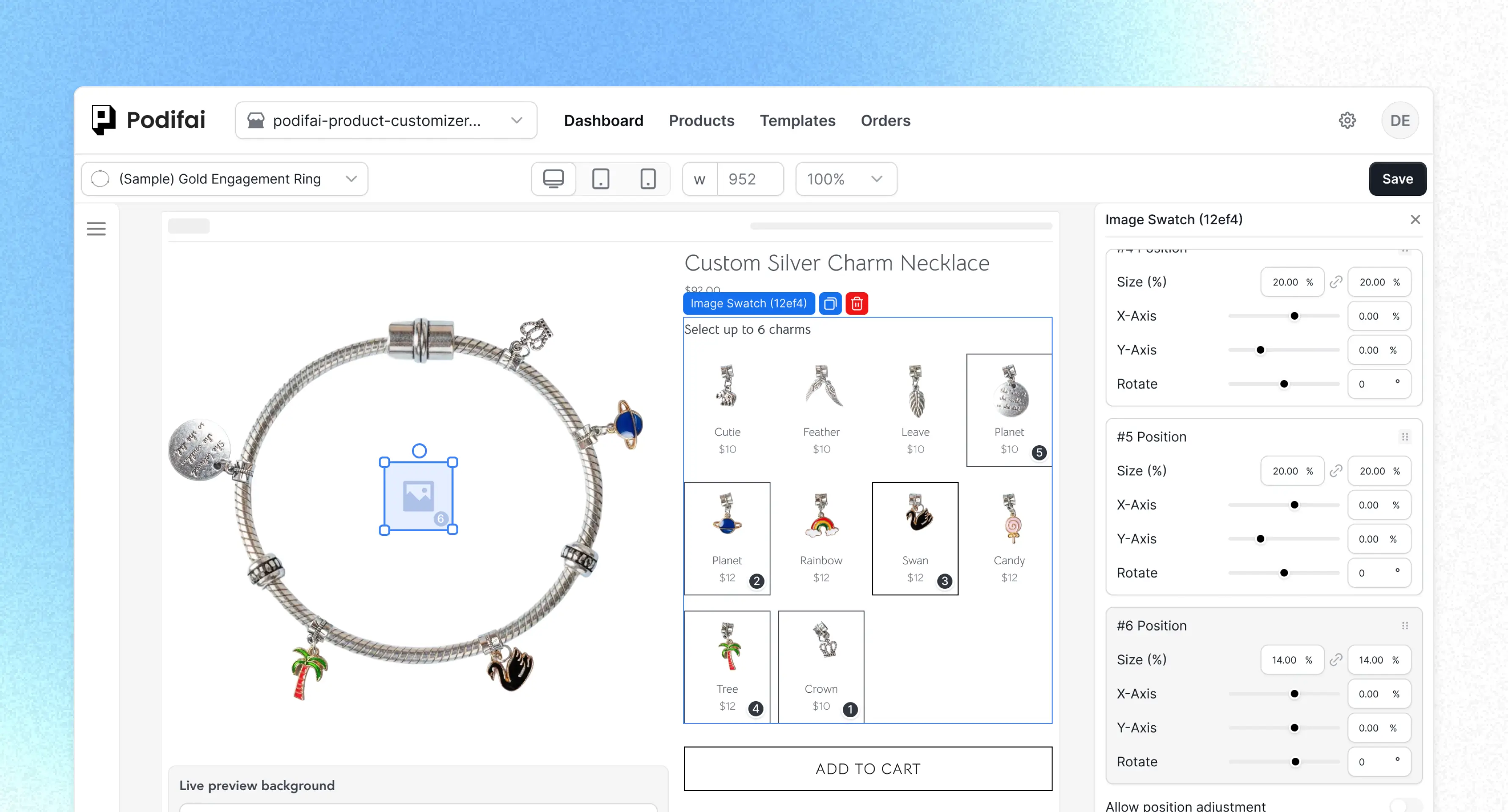
These product recordings show the option, preview, and inventory controls used to assemble a charm workflow.
Use image-based values and multiple selection to build the component catalog.
Place selected preview images in a configured sequence on the product.
Link an inventory-bearing charm value to the correct Shopify variant.
Implementation workflow
Model the stocked components first, then build the shopper-facing selection and preview around them.
Choose the necklace, bracelet, bag, shoe, or other base and prepare consistent transparent artwork for supported charms.
Add image-based option values, enable multiple selection, and use labels that match fulfillment records.
Map the visual layers, set any per-charm charge, and link inventory-bearing components to Shopify variants.
Check selection limits, arrangement, totals, sold-out behavior, mobile layout, and the final order record.
Merchant use cases
The same component-selection pattern can support several customizable product categories.
Initials, birthstones, symbols, spacers, and themed charm collections.
Clip-on charms, straps, tags, chains, and decorative accessories.
Lace charms, clips, hardware, and left-or-right placement choices.
Base product plus individually priced, stock-aware keepsakes or add-ons.
Scope boundary: The storefront preview depends on the artwork and arrangement rules the merchant configures. Podifai does not automatically create production-ready component artwork.
Continue exploring
Continue with the focused Podifai pages and documentation for the rest of this product workflow.
Create visual option values for charms and other selectable components.
Layer supported charm artwork on the base product before checkout.
Add a price adjustment for each selected component.
Keep physical charm availability connected to real stock.
Yes. A charm choice can use a multi-select option so shoppers can add several components to one configured product.
The selected values and their intended order should be configured and tested as part of the product flow so the fulfillment record remains clear.
Yes. Merchants can apply a price adjustment to individual charm values so the displayed total reflects the selected components.
Yes. An inventory-bearing charm value can link to a Shopify variant so its storefront availability follows the linked stock.
Yes. Merchants can choose the supported out-of-stock behavior for linked values so unavailable charms are not presented as normal selectable choices.
No. The live preview uses the merchant's prepared product and charm assets. Production artwork and manufacturing preparation remain separate workflow steps.

Combine multi-select components, layered preview, per-charm pricing, and stock-aware options on one Shopify product page.