Dynamic pricing.

Zero confusion. Higher AOV.

Add extra charges for premium materials, personalised engravings, or gift wrapping, and keep your price accurate in real time from product page to checkout. No manual variants, no pricing mistakes, no surprises.

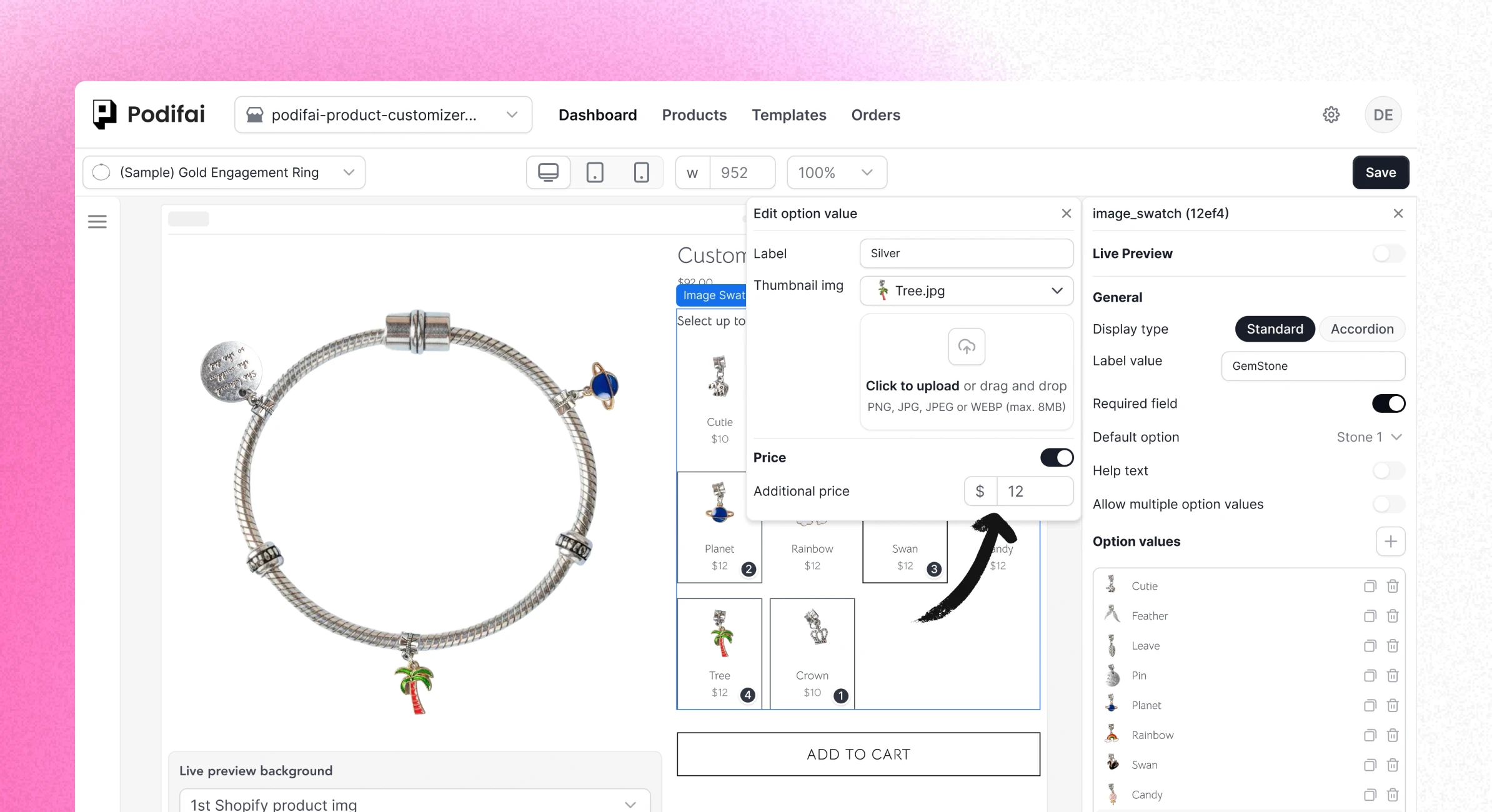
Live preview example

Seamless pricing, from click to checkout.

Real‑time option pricing syncs across product detail page, cart, and checkout, so customers always see the same total wherever they are.

illustration
Protect Your Margins

Charge correctly for engravings, premium materials, gift boxes, rush fees and more, instead of baking everything into one flat price.

illustration
Protect Your Margins

Charge correctly for engravings, premium materials, gift boxes, rush fees and more, instead of baking everything into one flat price.

illustration
Transparent Pricing

Clear, real‑time price breakdowns reduce cart abandonment and build long‑term trust with your customers.

illustration
Transparent Pricing

Clear, real‑time price breakdowns reduce cart abandonment and build long‑term trust with your customers.

illustration
Transparent Pricing

Clear, real‑time price breakdowns reduce cart abandonment and build long‑term trust with your customers.

illustration
Smooth Checkout

Powered by Shopify Functions for native‑feeling checkout speed and seamless discount support.

illustration
Smooth Checkout

Powered by Shopify Functions for native‑feeling checkout speed and seamless discount support.

illustration
Smooth Checkout

Powered by Shopify Functions for native‑feeling checkout speed and seamless discount support.

How it works

Set up additional prices in a few clicks, and Podifai keeps your product total accurate automatically on the product page, cart, and checkout.
Step 1

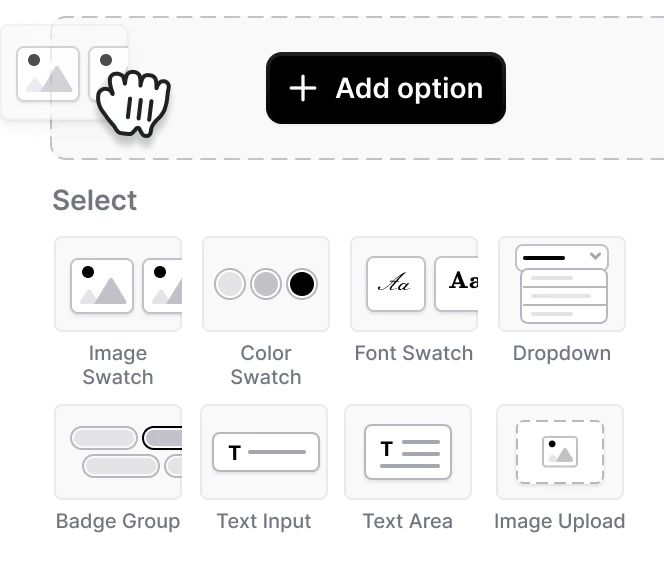
Add a custom option set

Select any product option (dropdown, swatch, or text) in Podifai.

Add a custom option set

Step 1

Add a custom option set

Select any product option (dropdown, swatch, or text) in Podifai.

Add a custom option set

Step 2

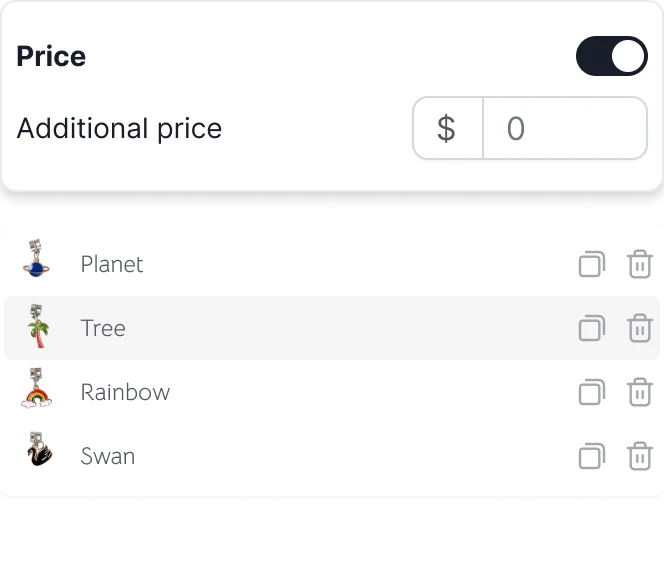
Set the extra price

Click on an option value and assign a fixed additional price in one field.

Set the extra price

Step 2

Set the extra price

Click on an option value and assign a fixed additional price in one field.

Set the extra price

Step 3

Save and go live

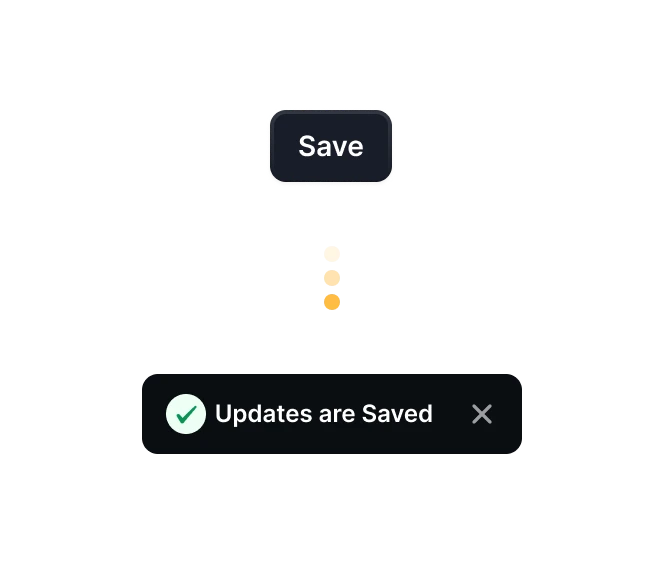
Podifai updates the product total automatically on your product page, cart, and checkout. No extra variants or code needed.

Save and go live

Start selling custom product now

73% of customers want personalized products. Don't let them shop elsewhere. Give them what they want, right on your site

Start selling custom product now

73% of customers want personalized products. Don't let them shop elsewhere. Give them what they want, right on your site

Start selling custom product now

73% of customers want personalized products. Don't let them shop elsewhere. Give them what they want, right on your site

Podifai logo

© PODIFAI PTY LTD | All rights reserved | ABN: 37 673 179 694

Podifai logo

© PODIFAI PTY LTD | All rights reserved | ABN: 37 673 179 694

Podifai logo

© PODIFAI PTY LTD | All rights reserved | ABN: 37 673 179 694