Rubik Variant Images Review: Who It's For and How It Compares
A practical look at Rubik’s image workflows, pricing tradeoffs and merchant reviews, plus when product personalization needs a different tool.
We would shortlist Rubik for a Shopify store with substantial variant photography, recurring image-assignment work, and a need for built-in swatches. Its manual, AI-assisted, and bulk assignment methods are worth evaluating together. If your theme already shows the right photos, keep that setup. If subscription cost is your main concern, compare Variant Image Wizard first. If customers need to enter names or upload artwork, consider a personalization tool such as Podifai.
The buying question is whether Rubik makes your particular catalog easier to maintain at a price that makes sense. This App Spotlight examines that decision through documented workflows, competing packages, and merchant feedback.
Partnership disclosure: This article is part of a content cross-promotion between Podifai and Rubik. Our recommendations reflect the documented use cases, pricing tradeoffs, and merchant feedback discussed below.
*Research basis: official documentation, Shopify listings, and a qualitative review sample examined November 3, 2026. We have not installed these apps for a controlled comparison or measured conversion, speed, or image-matching accuracy.*
What problem does Rubik solve?
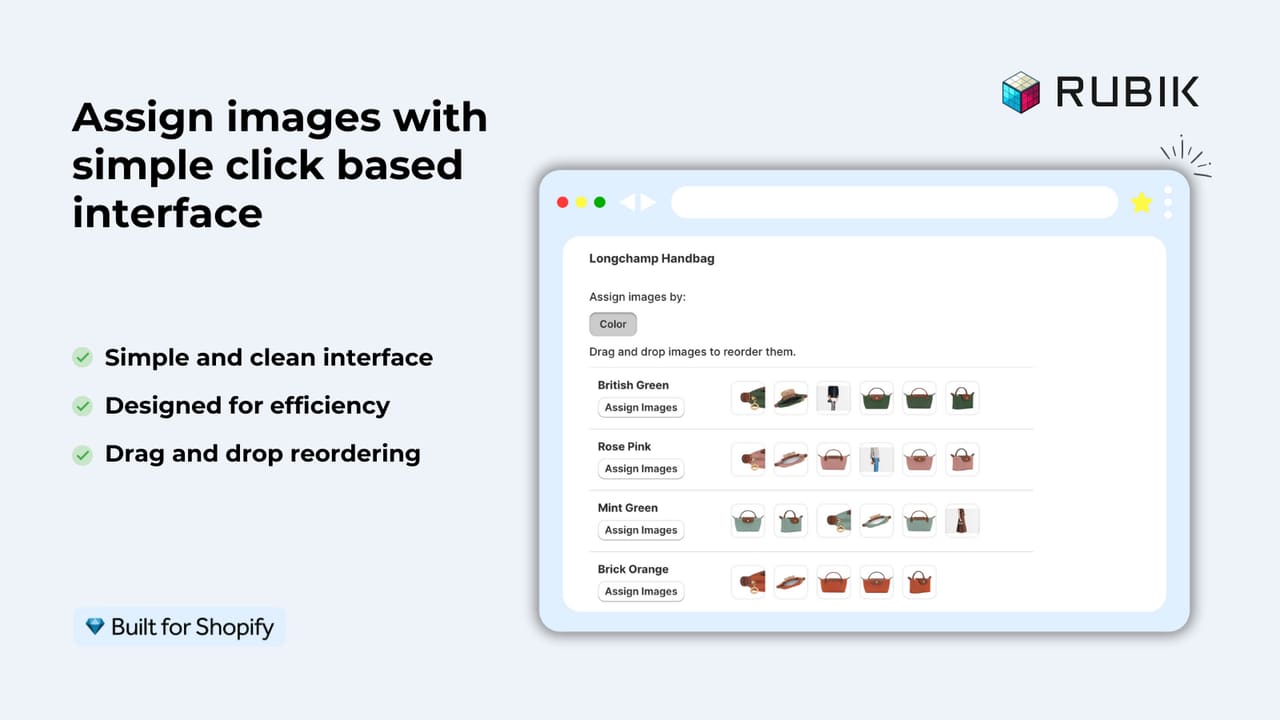
A shopper chooses a green bag. Its front, interior, and detail photographs should be easy to find without sorting through every other color. Meanwhile, your team needs a manageable way to associate those photographs with the right choices whenever the catalog changes.
Rubik Variant Images & Swatch, developed by Craftshift, groups existing product media around variant selections. It also provides image swatches, color swatches, and text pills. Its documentation covers video and 3D-model media, although displaying a prepared model is different from offering interactive 3D customization. Feature overview.
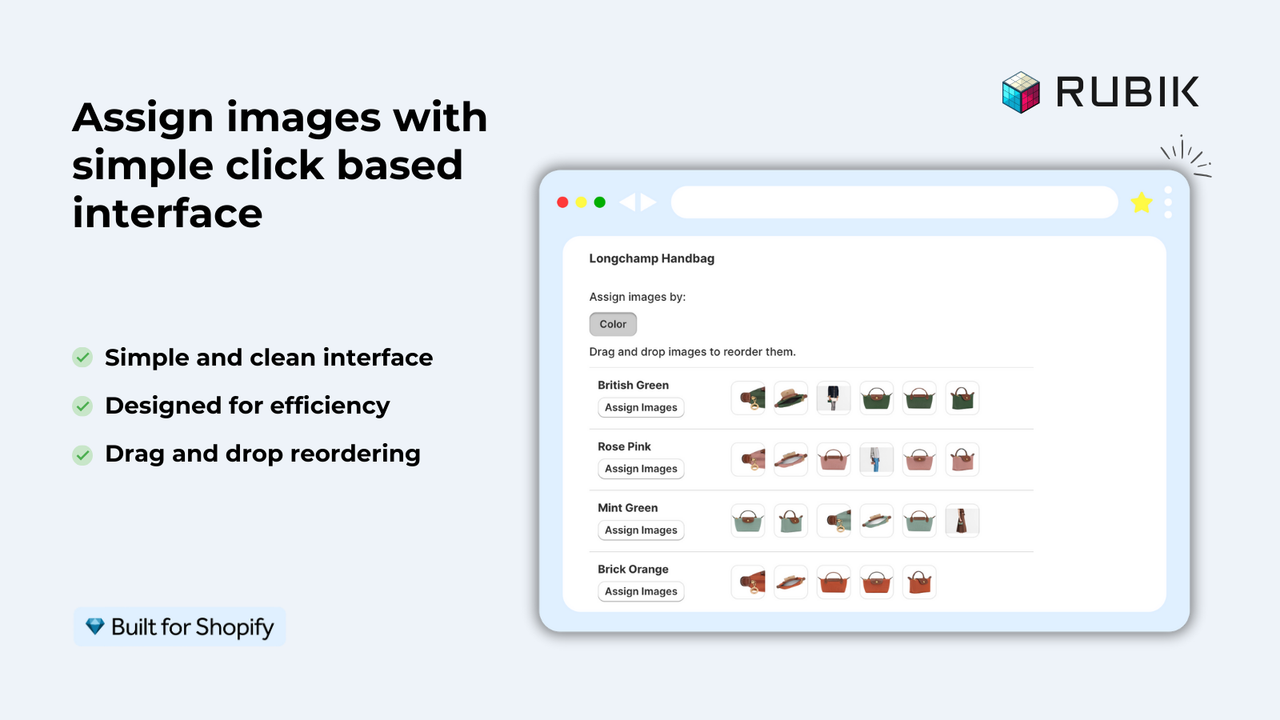
Some information needs to remain visible across selections. Rubik documents shared-image behavior for items such as size charts, alongside settings for hiding unassigned media. That matters because filtering a gallery should preserve information shoppers still need. Setup guide and image behavior FAQ.
Why put Rubik on your shortlist?
Multiple images per variant and visual swatches are shared category features. The more persuasive reason to evaluate Rubik is how its assignment methods fit your ongoing work.
- A small, carefully photographed range: manual grouping gives your team control over which views accompany each option.
- A mixed or inconsistently organized catalog: AI-assisted matching may reduce the initial assignment work. Review the proposed groups, especially similar colors and detail shots; accuracy has not been independently established here.
- A large catalog with photos already in sequence: Rubik's bulk method groups media by gallery order. An organized source gallery can therefore provide a different starting point from visual matching.
These methods are documented on Rubik's website. The potential benefit is less repetitive maintenance when the method fits your catalog. We have not measured the time saved or established that rival apps cannot achieve the same outcome.
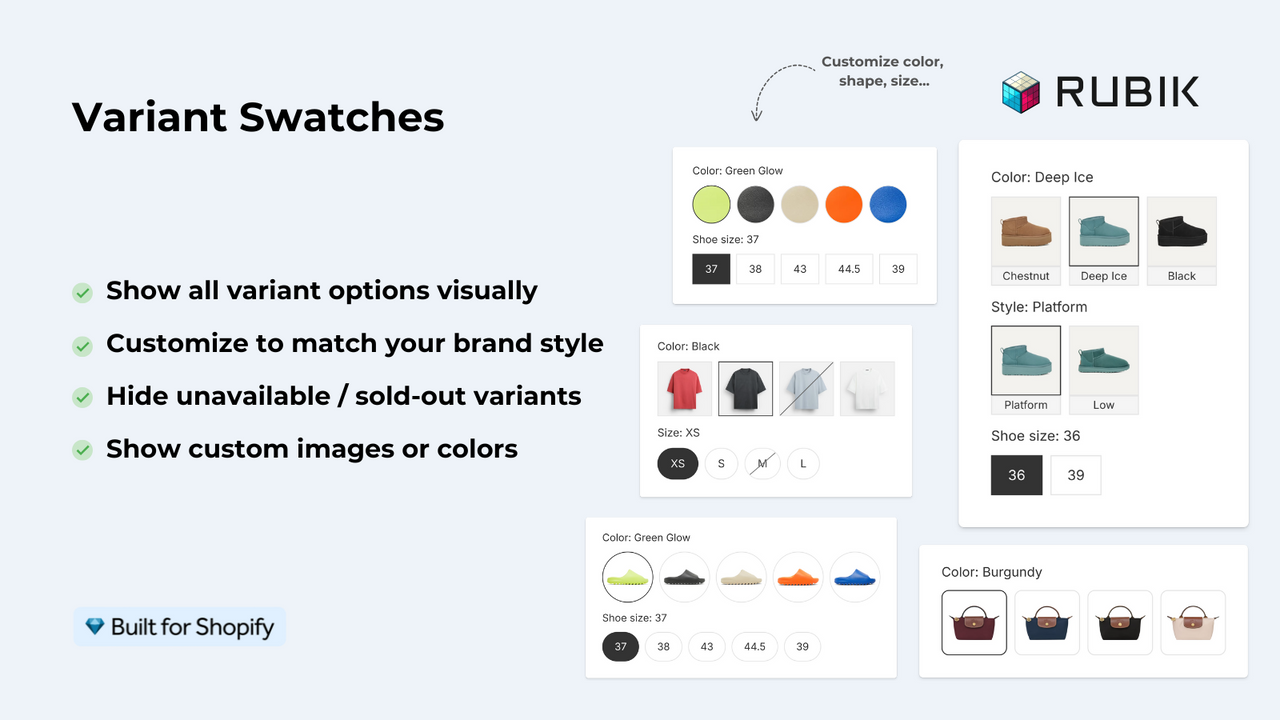
Built-in swatches are relevant when shoppers struggle to distinguish options by their names alone. A fabric texture or photographed finish may communicate more than a dropdown label. Choices such as size can use text controls instead.
Which setup fits your store?
| Your situation | Where we would start | What decides the choice |
|---|---|---|
| Your theme already presents all required variant views clearly | Keep the current setup | An app should solve a remaining problem worth its maintenance and subscription |
| You regularly assign many photos and want swatches alongside several assignment methods | Shortlist Rubik | Whether its workflow reduces your catalog work enough to justify the product tier |
| You need variant galleries and swatches at a low subscription cost | Compare Variant Image Wizard | Theme eligibility and required features; its published Pro package also covers all themes and bulk editing |
| You already use StarApps and want to retain the theme gallery | Compare SA Variant Image Automator | Its image-grouping workflow, complete app setup, and Shopify-plan-based price |
| Customers enter initials, names, or upload photos | Consider Podifai | Required inputs, configured 2D preview, pricing, and order information |
| One page needs variant photography and personalization | Evaluate the two jobs separately | A combined Rubik–Podifai setup has not been verified in this research |
Price changes the recommendation
Rubik's published monthly tiers are $25 for 100 configured products, $50 for 1,000, and $75 for unlimited products, with a free plan for one product. Rubik pricing.
Variant Image Wizard lists a free tier for five products on Shopify free themes, a $4.99 Starter package with unlimited products on those themes, and $7.99 Pro with all themes, bulk editing, videos, models, and grouping separate products as swatches. A merchant buying basic gallery functionality has a concrete reason to compare that lower price. Wizard listing.
SA Variant Image Automator lists prices by Shopify plan: Basic $14.90, Grow & Custom $29.90, Advanced $49.90, and Plus $99.90 per month. Its $5 entry applies to Pause & Build. Rubik's product-count pricing may compare favorably for some stores on higher Shopify tiers, while SA's Basic price is lower than Rubik's first paid tier. Packages and complete swatch requirements still need comparison. SA listing.
These are USD monthly references checked November 3, 2026, rather than feature-identical quotes. Rubik earns consideration through workflow fit; the evidence does not establish it as universally cheaper, faster, or more accurate. Built for Shopify is a useful signal, but SA holds that badge too.
What merchant reviews actually tell us
We read the first two public review pages and the one-, two-, and three-star filtered pages. This is a qualitative sample, not a representative survey or an analysis of every review. The examples below serve different purposes.
Product usability: organizing complex photography
Fiber & Canvas, September 20, 2026, described cleaner swatches and less image-assignment work. Waning Skein, July 24, 2026, described a 12-by-2 option setup needing two images per combination; support helped resolve an image-order issue. These accounts suggest that Rubik can help merchants structure demanding visual catalogs. They do not measure conversion or establish typical time savings. Read the reviews.
Service: help working through implementation
EMOTIVE, June 16, 2026, described support investigating a Horizon theme issue. Cool Girl Co., October 1, 2026, reported receiving a video explaining a solution. This supports considering the quality of implementation assistance when shortlisting Rubik. It does not establish a response-time commitment or long-term reliability. Competitors also receive support praise, so service alone does not prove superiority. Review page two.
Limits: existing apps and free-plan expectations
Grounded's August 27, 2026 one-star review reported missing storefront options during integration work. The developer acknowledged asking the merchant to pause another app without recognizing that it supplied those controls; the reply said re-enabling it restored them. The practical lesson is to identify which app owns each control before changing a working setup. This account does not establish that catalog variants were deleted. Review and developer response.
Real Fab's August 14, 2026 two-star review objected to upgrading after one product. The developer clarified that the permanent free plan covers one product, separately from the paid-plan trial. Budget for your configured catalog, rather than treating the free tier as an unlimited rollout. Review and clarification.
Our conclusion from these accounts is specific: organization and implementation help are credible reasons to consider Rubik. Long-term stability and financial return remain unmeasured in this article.
Where Podifai fits: two merchant scenarios
Fixed-design apparel: start with the gallery
Imagine a shirt with a fixed graphic offered in five colors. Shoppers choose color and size; the artwork never changes. Existing mockups can communicate every sellable version. A variant-image workflow is relevant if those mockups are difficult to navigate. Personalization becomes relevant only when the offer includes shopper-entered names, numbers, or artwork. Rubik describes apparel and prepared-mockup workflows in its use-case guide.
Engraved wallets: separate the base product from the inscription
For a wallet, the stocked leather color identifies the base product. Initials and a font choice describe what the merchant will make for that customer. Podifai's product options can collect those details, and its configured layered 2D preview can illustrate supported personalization. Paid extras can use configured option pricing.
A store may need both photography and personalization. That does not establish a direct integration between Rubik and Podifai. Before combining them on one page, confirm that the selected variant, gallery, personalization preview, price, and saved order information remain consistent. Podifai order-data guide.
Our recommendation
Put Rubik on your shortlist when variant photography creates recurring work and its assignment choices plus swatches address that work. Compare a lower-cost package when your requirements are simpler. Keep your current theme behavior when it already solves the problem, and use a personalization tool when customers need to supply their own content.
For an initial Rubik evaluation, choose a product that represents your difficult catalog cases: several visual variants, multiple views, and an image shared across choices. Decide whether the setup is understandable and maintainable before extending it across the catalog. This is a suggested evaluation, not testing completed for this article.
Explore Rubik on the Shopify App Store or explore Podifai for product personalization.