6 Custom Mug Shopify Store Examples (2026)
Choose whether the customer supplies engraving text, a photo or a printed design. The Zappy Box, Dugout Mugs and Printy Pets show different inputs; the input form should match the decoration method.
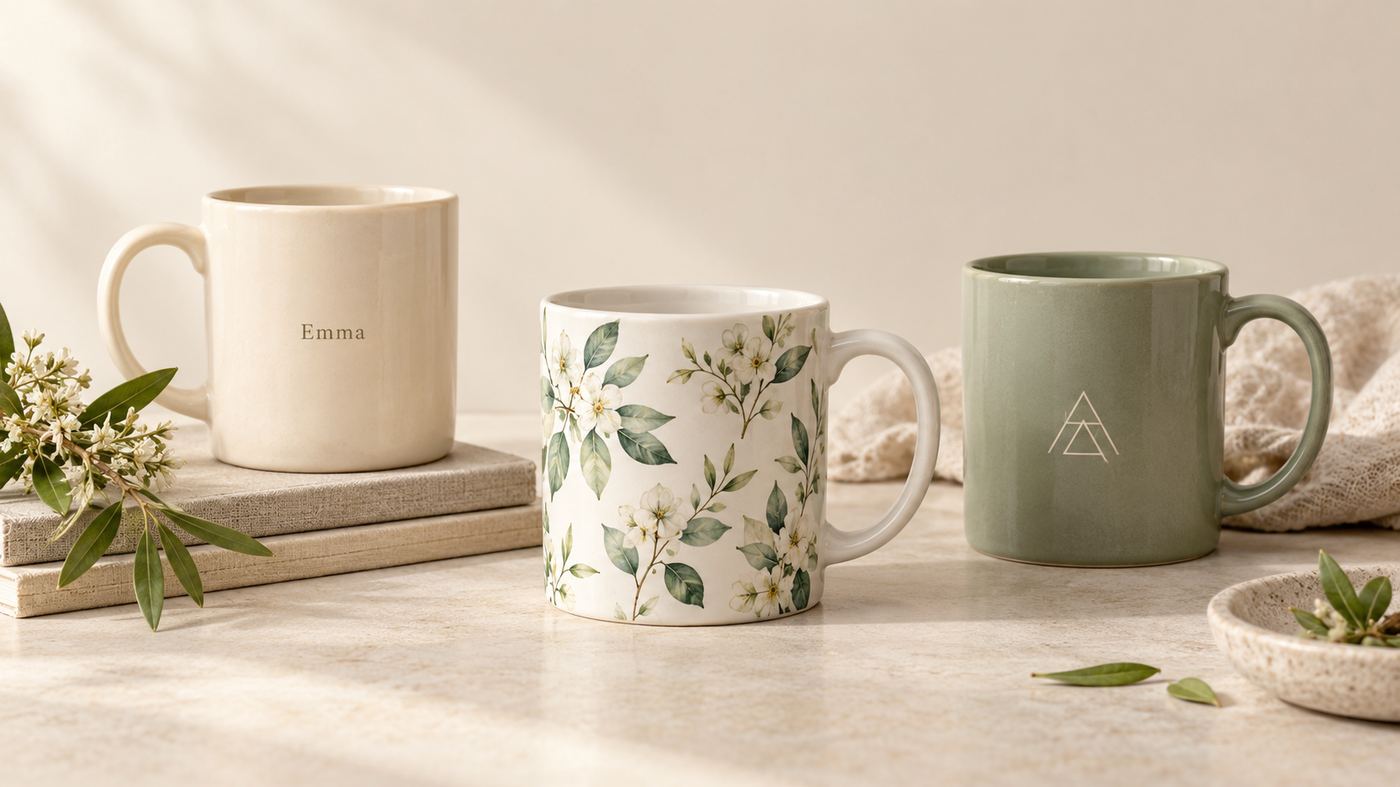
Choose whether the customer supplies engraving text, a photo or a printed design. The Zappy Box, Dugout Mugs and Printy Pets show different inputs; the input form should match the decoration method. The 6 selected examples below document different personalization workflows; historical store estimates are context, not a sales ranking.
This guide is for Shopify merchants planning custom mug product pages. It compares what shoppers can specify and what a merchant must explain before production. A fixed printed design, a stock color choice or the word “custom” in a brand name is not enough to establish customer personalization.
How we selected these examples
The starting point was the first 30 candidate rows in Podifai’s March 15, 2026 custom-mugs report snapshot, whose broader dataset contains 202 records. We selected six examples with specific personalization evidence from official product pages reviewed on October 15, 2026. Where the original product link was unrelated or unclear, the case identifies the replacement. The remaining candidates are excluded from this selected article, not declared incapable of customization. The broader dataset was not revalidated in full.
Revenue bands and country codes are preserved historical whole-store research fields. They are not audited financials, category sales, current merchant disclosures or manufacturing locations. Historical tool detection does not prove which app runs a particular product today. We removed the mixed-currency catalog-average-price comparison and use visible ordering behavior in the table instead. No purchase, checkout, production output or conversion result was tested.
Broader research: Custom Mug Market Report
Compare the six ordering approaches
| Store | Customization evidence | Historical revenue band | Recorded country | Official product source |
|---|---|---|---|---|
| BoxUp Luxury Gifting | Initial on a cork-base mug | $1M+ | IN | View product |
| The Zappy Box | Name engraving with font choices | $200K–1M | IN | View product |
| Dugout Mugs | Photo engraving with optional reverse-side text | $200K–1M | US | View product |
| Wicked the Musical Store | Personalized engraved glass mug | $200K–1M | US | View product |
| Printy Pets | Pet photo with background and pet-count choices | $200K–1M | GB | View product |
| Zestpics | Photo and message personalization | $200K–1M | IN | View product |
Selected-sample context: GB: 1, IN: 3, US: 2. Historical tool signals: not detected: 5, Zepto: 1. These counts describe only the six selected records. “Not detected” means unknown, not that the store uses no personalization software.
1. BoxUp Luxury Gifting: initial on a cork-base mug
BoxUp’s Monogram Cork Mug pairs a fixed mug design with a required initial field. The current page limits the input to one character and offers a separate custom gift-card step. The product photograph shows the monogram treatment; it is a sample rather than a preview of a shopper’s input.
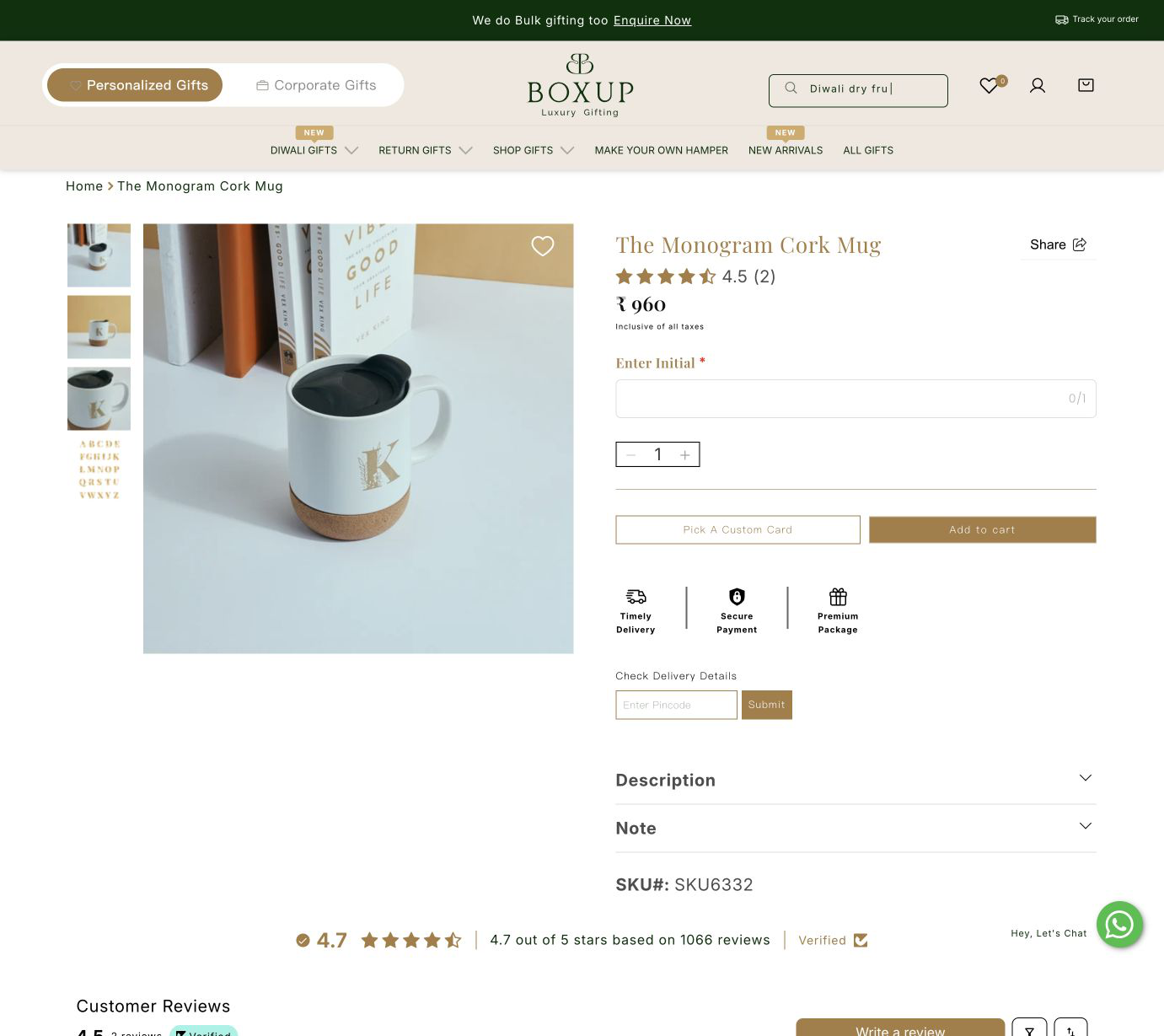
Merchant takeaway: define the smallest useful personalization input. Keep the recipient’s initial separate from gift-card text so the two instructions cannot be confused.
Source: BoxUp Luxury Gifting official product page
2. The Zappy Box: name engraving with font choices
The Personalized Traveler Insulated Mug page shows four font choices and a name field with a 12-character counter. The mug photo demonstrates a finished name treatment. The product description identifies name and initial engraving, while the ordering screen keeps the font choice and name together.
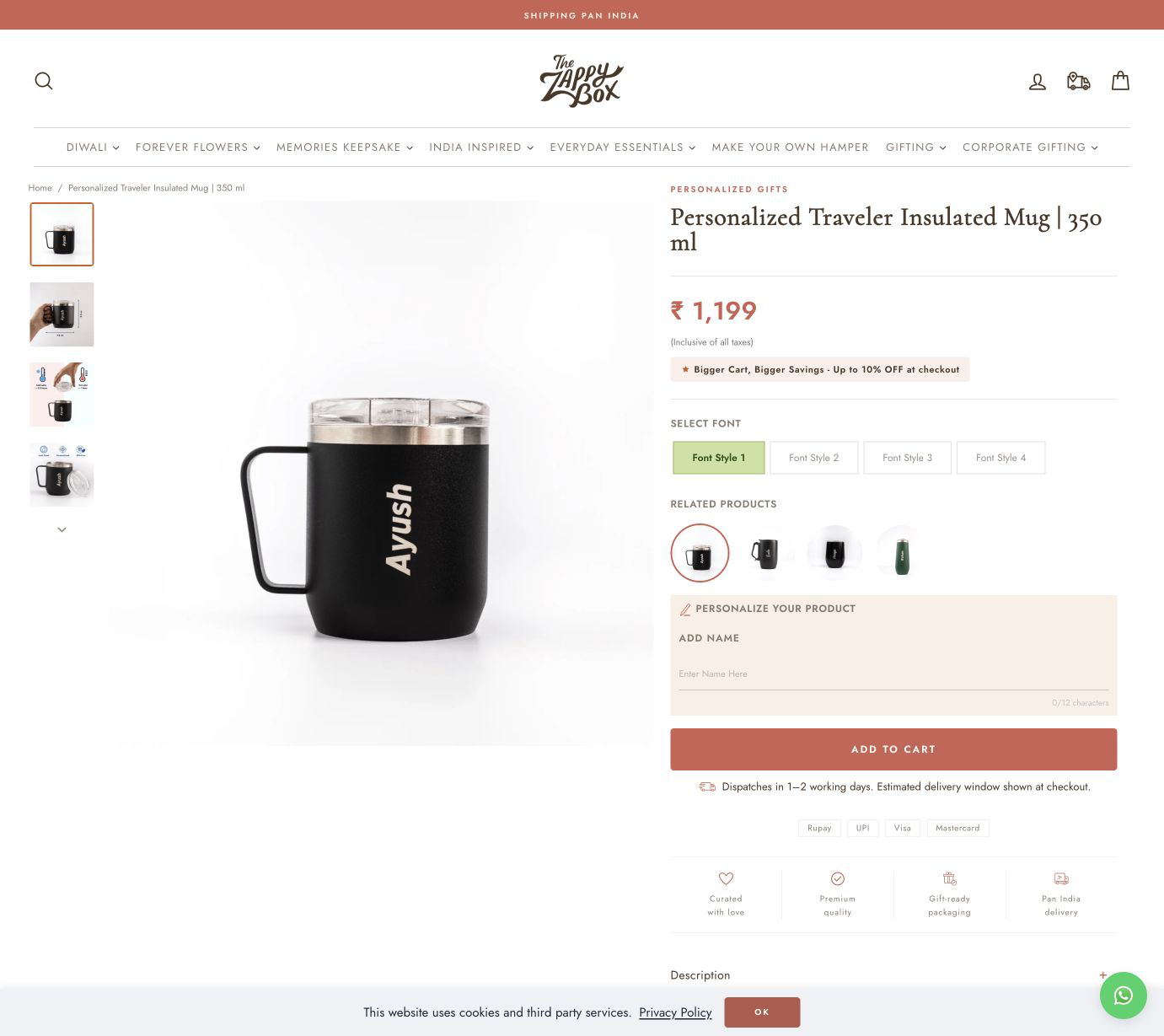
Merchant takeaway: show the character limit beside the input and illustrate the available lettering. A font sample is useful even when an interactive personalized preview has not been verified.
Source: The Zappy Box official product page
3. Dugout Mugs: photo engraving with optional reverse-side text
Dugout Mugs offers a photo engraved onto a baseball-bat-shaped drinking vessel. The current page includes an image uploader and an engraving selector for optional backside personalization. Its photo guidance asks for good lighting and discourages heavy shadows and photographs of photographs.
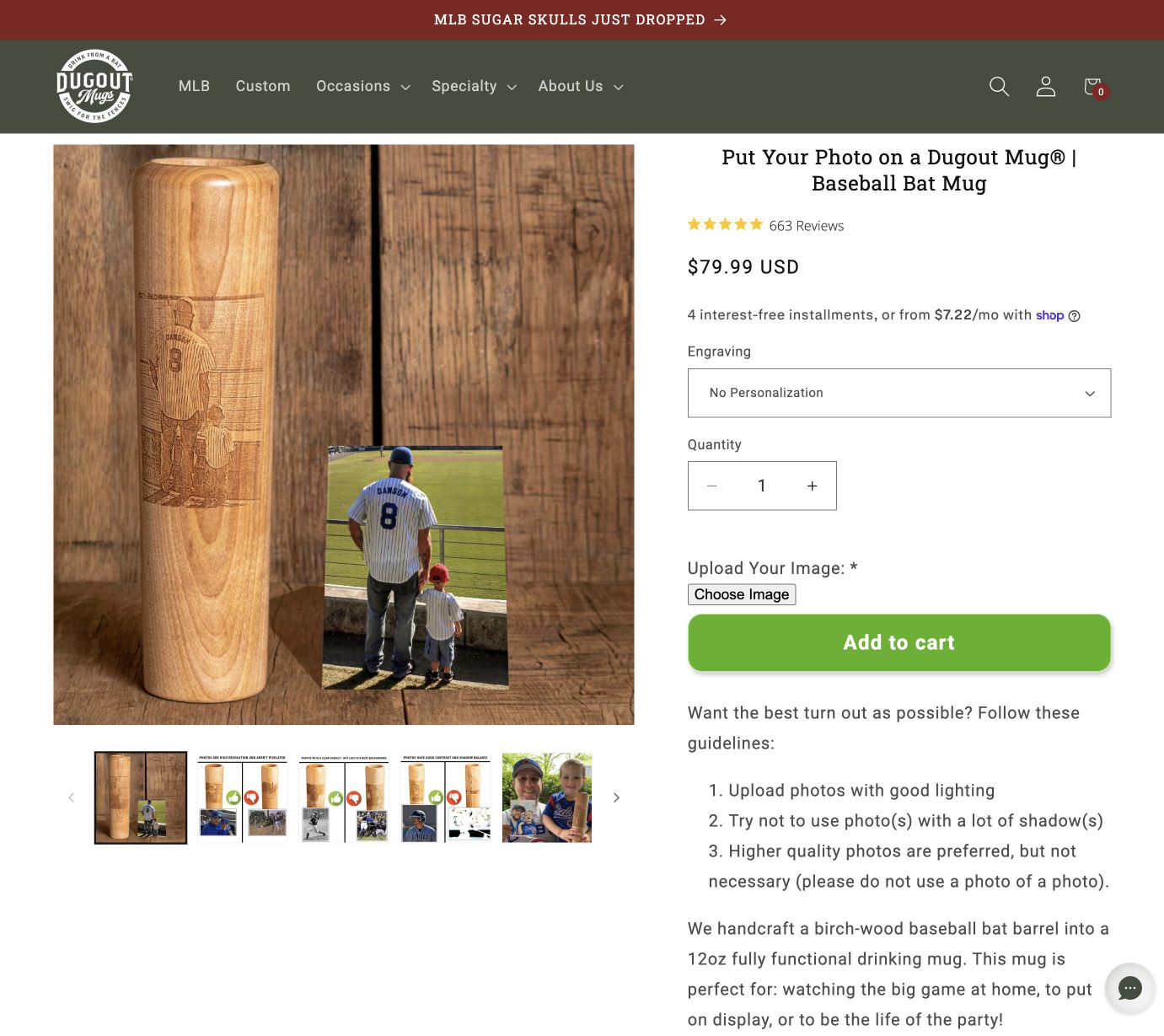
Merchant takeaway: explain image-quality requirements at the upload step. Distinguish the main photo artwork from an optional second decoration area so buyers know which fields apply.
Source: Dugout Mugs official product page
4. Wicked the Musical Store: personalized engraved glass mug
The official Wicked store describes its personalized logo mug as engraved glass drinkware and asks buyers to check spelling carefully. The current ordering form includes a name field and explains that names longer than 12 characters per line may use smaller lettering to fit. This establishes a text-personalization workflow; an automatically updating preview was not tested.
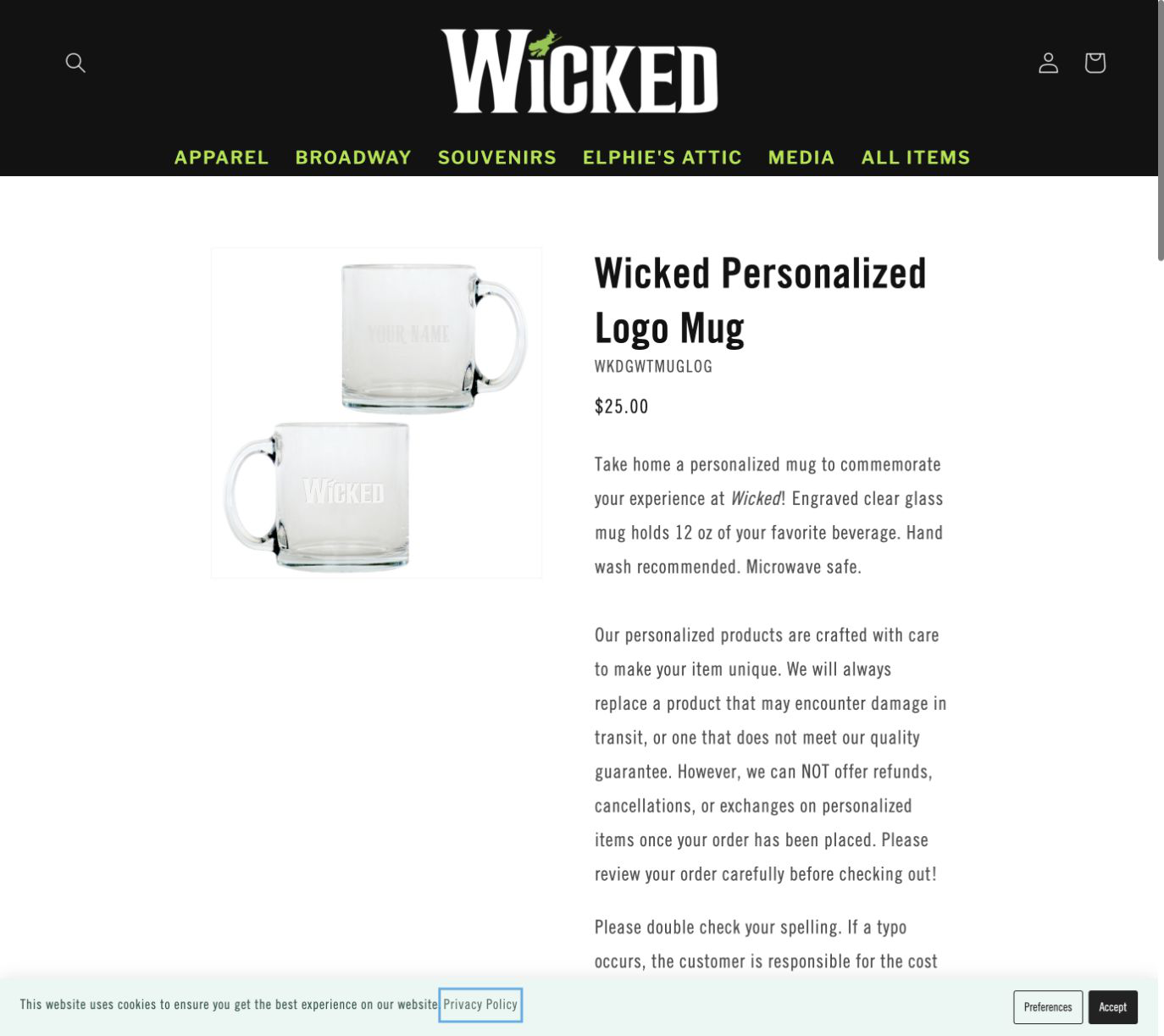
Merchant takeaway: place spelling instructions near the ordering controls. Explain what happens when longer text changes the letter size instead of leaving buyers to infer the final result.
Source: Wicked the Musical Store official product page
5. Printy Pets: pet photo with background and pet-count choices
Printy Pets’ Dad to the Bone mug page asks shoppers to choose an image, links to a photo guide, and separates background color from the number of pets. The reviewed page offers choices for one through four pets. These are concrete artwork inputs; the page does not establish a revenue effect from the design.
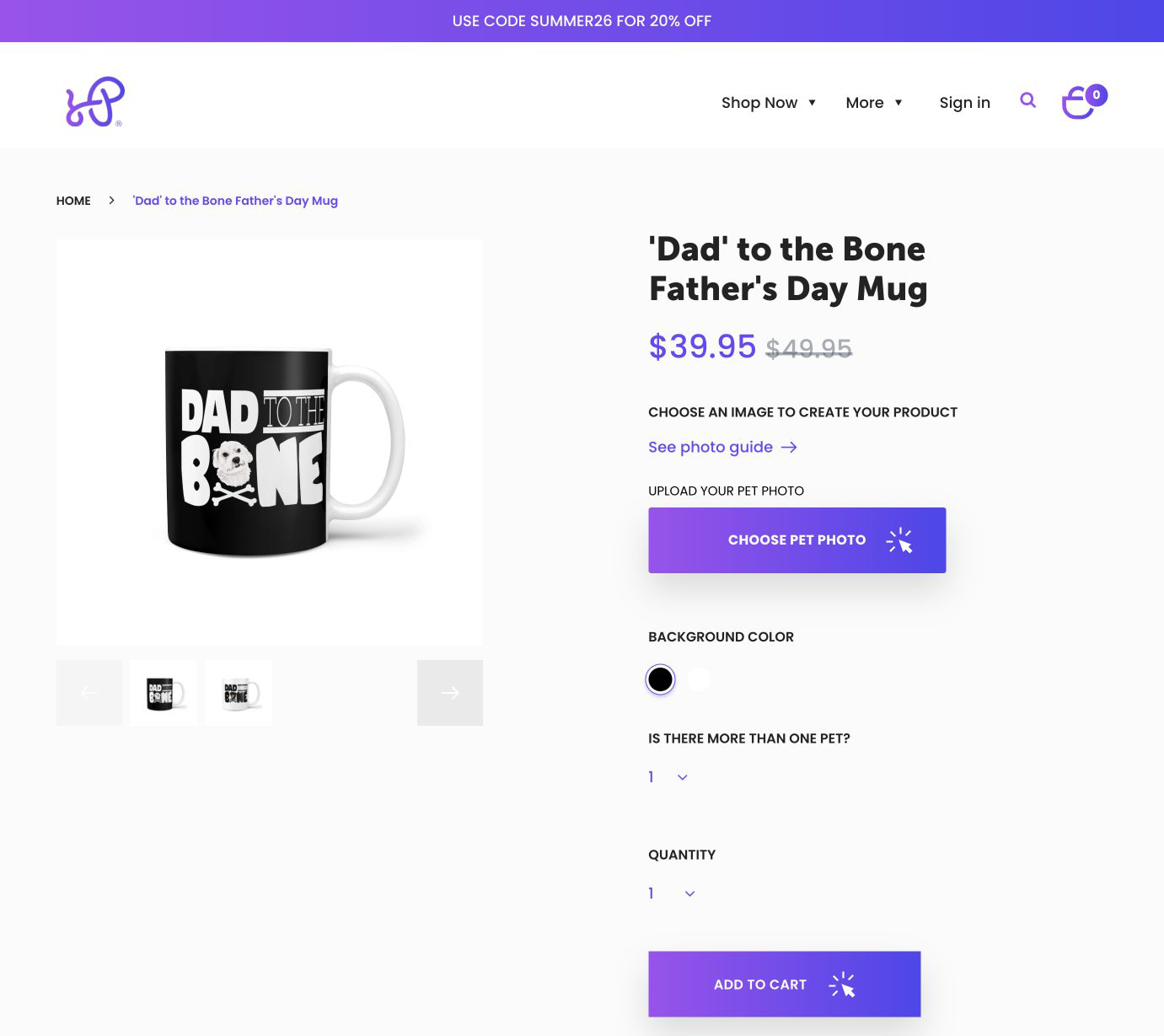
Merchant takeaway: separate the subject count, image file and background choice. For a multi-pet design, explain how each submitted image will be associated with the finished artwork.
Source: Printy Pets official product page
6. Zestpics: photo and message personalization
Zestpics’ Awesome Dad Mug is a relevant replacement for the unrelated keychain URL in the original dataset row. Its official product page accepts photos and a name or message. It also explains that customers can provide personalization details after ordering through its stated support route.
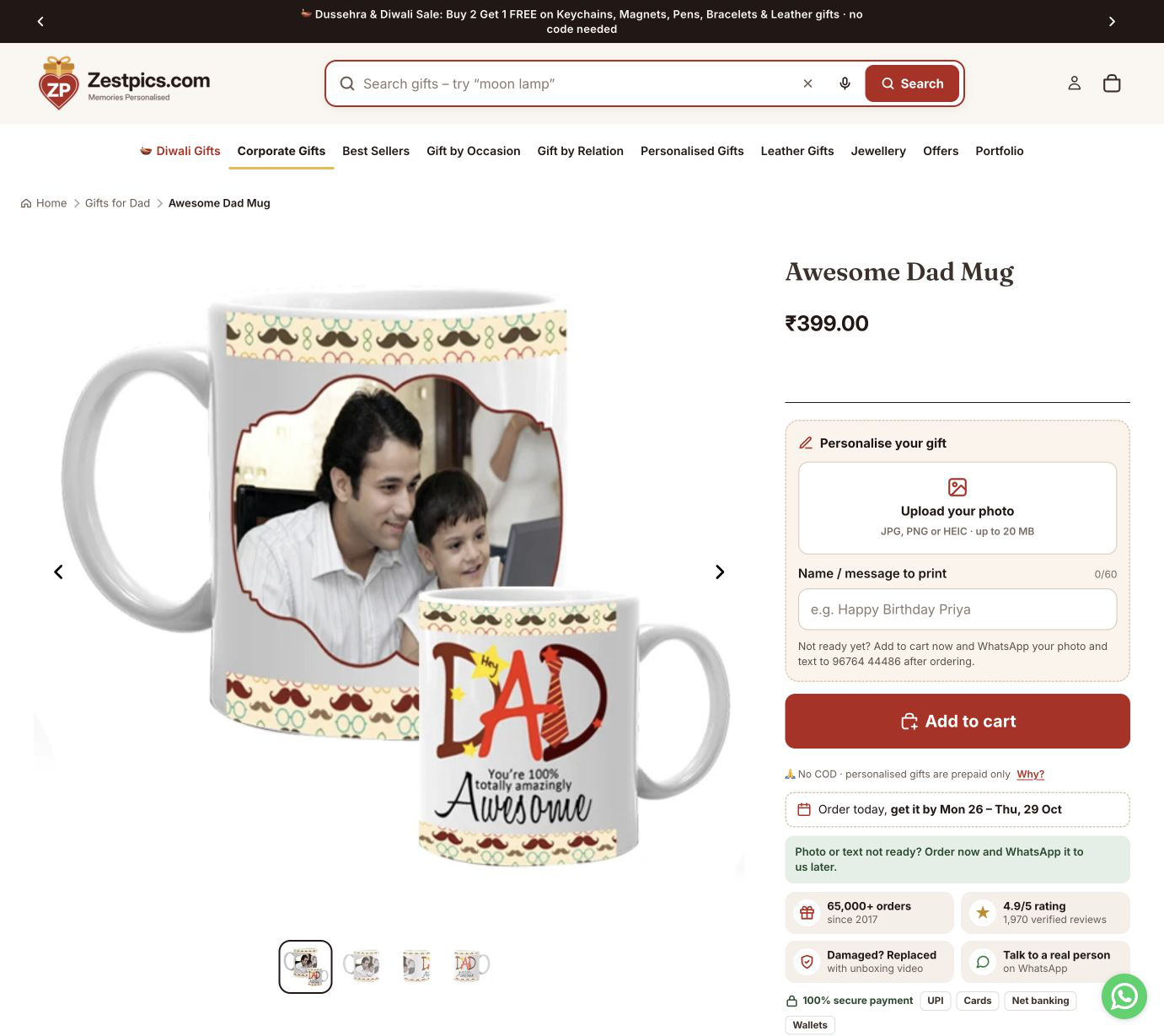
Merchant takeaway: if artwork may arrive after purchase, explain the handoff and associate it with the correct order. A deferred-artwork route needs different operational handling from a required upload before checkout.
Source: Zestpics official product page
What to decide before building a custom mug page
- Choose between a fixed initial treatment, a name-and-font layout and a photo-based design. Each requires different fields and validation.
- Put image guidance beside the uploader: the intended print area, accepted files and useful framing matter more than a generic upload button.
- State whether customers see an on-page preview or receive a proof later. Record any approval step before sending artwork to production.
These are editorial implementation recommendations drawn from the ordering patterns above. They are not claims that one option set, theme or app causes higher sales.
If you are building a similar store, compare these examples with Podifai's Shopify product customization, live preview, and dynamic pricing workflows.
Frequently asked questions
Does a custom mug store need live preview?
It depends on the design. A fixed initial placement may be adequately explained with labeled samples. Flexible photo placement or multiple decoration areas may benefit from an interactive preview. A human-prepared proof is another workflow; tell shoppers which approach applies.
Are these the six highest-revenue stores?
No. They are a selected set with documented personalization evidence. The retained revenue bands are historical whole-store estimates and are not suitable for comparing category sales or the commercial effect of customization.
Does “not detected” mean no personalization app is installed?
No. Automated detection can miss apps, theme code, external designers and manually assisted workflows. Confirm the actual customer inputs and production handoff instead of treating a missing detection as a technical conclusion.
Related research and implementation
Custom Mugs market report — broader catalog research; its records and counts are separate from the editorial sample above.
Custom Glasses & Barware market report — related product research.
Custom Tumblers & Bottles market report — related product research.
For implementation planning, review Shopify product configuration and live preview. Check the inputs, pricing rules and production handoff against your own product before choosing a tool. This article is published by Podifai; the store examples are not endorsements or evidence that those merchants use Podifai.